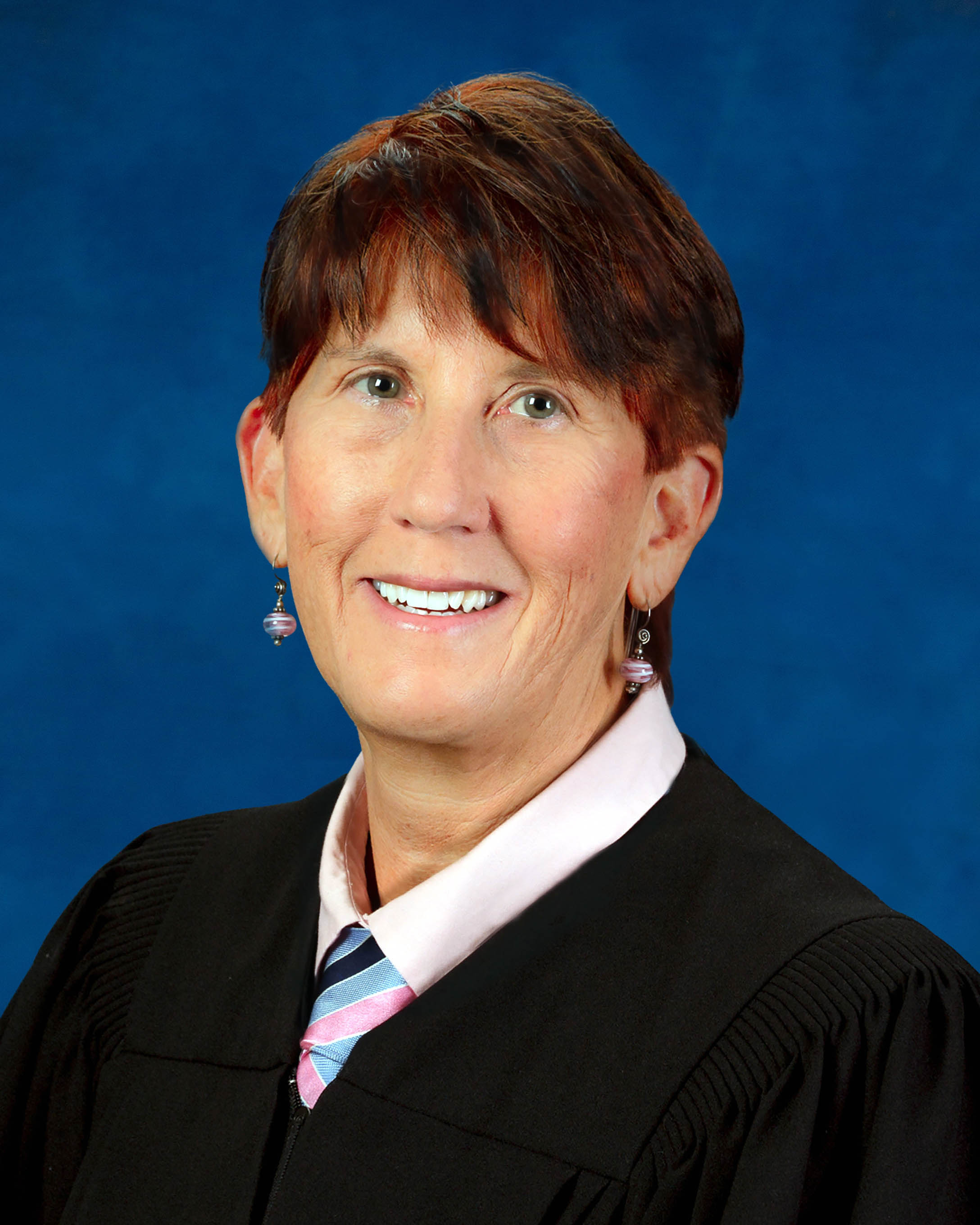
Judge Catherine M. Catlin
Individual Rules, Standing Orders & Policies
Limits & Logistics
Document Limits
Courtesy Copies
Chambers Copy
Court-wideCourtesy copies
Court-wideExtraordinary Writ Petition
Court-wide- Immediately Upon Filing
Financial Affidavit, Exhibits
Court-wideAdjournments
Court-wideRequest must include
Communication
Chambers
Clerk
Clerk
Clerk
Phone
Court-wideChambers
Document Format Requirements2 rules
Checked against the court's document on Oct 1, 2026Mandatory
Orders must be uploaded in PDF rather than Microsoft Word format.
Upload all orders in PDF format NOT MS Word.
Checked against the court's document on Oct 1, 2026Mandatory
Exhibits intended for a hearing or trial must be submitted at least five business days beforehand in an indexed, tabbed binder.
ALL EXHIBITS INTENDED TO BE INTRODUCED IN HEARING/TRIAL MUST BE SUBMITTED NO LATER THAN 5 BUSINESS DAYS BEFORE HEARING/TRIAL AND BE SUBMITTED IN A BINDER WITH AN INDEX AND TABBED.
Document Filing Requirements10 rules
Checked against the court's document on Oct 1, 2026Mandatory
An order resulting from a hearing must state the hearing date in its opening paragraph and should be uploaded no more than two days before the hearing.
Every Order that is uploaded to E-Portal as a result of a hearing MUST include the date of the hearing in the opening paragraph of the Order and SHOULD NOT be uploaded more than 2 days before the hearing.
Document Type
Order
Checked against the court's document on Oct 1, 2026Mandatory
Attorneys must submit all case-law authority cited or relied upon at contested hearings.
Attorneys must submit all case law authority being cited or relied upon at all contested hearings.
Document Type
Case Law Authority
Checked against the court's document on Oct 1, 2026Mandatory
All signatures on petitions for summary administration must be notarized.
In addition to the requirements listed above, all signatures related to petitions for summary administration must be notarized.
Document Type
Petition For Summary Administration
Checked against the court's document on Oct 1, 2026Mandatory
A formal-administration petition filed within two years of death must include a paid funeral bill or satisfactory proof of payment.
If the decedent died less than two years before the date of filing, the petition for administration must be accompanied by a paid funeral bill or other satisfactory proof that the funeral expenses have been paid.
Document Type
Petition For Administration
Checked against the court's document on Oct 1, 2026Mandatory
All signatures on pro se petitions for administration must be notarized.
In addition to the requirements listed above, all signatures related to petitions for administration filed pro se must be notarized.
Document Type
Petition For Administration
Checked against the court's document on Oct 1, 2026Mandatory
A summary-administration petition filed within two years of death must include a paid funeral bill or satisfactory proof of payment.
If the decedent died less than two years before the date of the filing, the petition for summary administration must be accompanied by a paid funeral bill or other satisfactory proof that the funeral expenses have been paid.
Document Type
Petition For Summary Administration
Checked against the court's document on Oct 1, 2026Mandatory
Every order must contain substantive material on the judge’s signature page and may not have a blank hanging signature.
All Orders MUST carry something of substance on the judge’s signature page,- i.e., no hanging signatures.
Document Type
Order
Checked against the court's document on Oct 1, 2026Mandatory
Every intestate-estate petition for administration must include an affidavit of heirs.
All petitions for administration in intestate estates must be accompanied by an affidavit of heirs.
Document Type
Petition For Administration
Checked against the court's document on Oct 1, 2026Mandatory
Every intestate-estate petition for summary administration must include an affidavit of heirs.
All petitions for summary administration in intestate estates must be accompanied by an affidavit of heirs.
Document Type
Petition For Summary Administration
Checked against the court's document on Oct 1, 2026Mandatory
Closing or settlement documents must be attached to petitions for approval of a settlement or minor settlement.
On all Petitions for Approval of Settlement and /or Petitions for Approval of Minor Settlement, the closing/settlement documents must be attached to the petitions.
Document Type
Petition For Approval Of Settlement
Filing & Service rules
Electronic Filing Rules
Division A requires all orders to be uploaded through the E-Portal.
Division A is electronic and ALL Orders MUST be uploaded to E-Portal- see Uploading Orders & Exhibits to E-Filing Portal.
Checked against the court's document on Oct 1, 2026
Page 1 | Procedures & Preferences
All orders must be filed through the Probate Division A E-Portal location.
ALL ORDERS NEED TO BE FILED THROUGH THE E-PORTAL ******PLEASE LOOK FOR PROBATE DIVISION “A”******* TO FILE YOUR ORDER
Checked against the court's document on Oct 1, 2026
Page 1 | Procedures & Preferences
All orders must be uploaded through the Probate Division A E-Portal location.
ALL ORDERS MUST BE UPLOADED THROUGH THE E-PORTAL to “PROBATE DIVISION “A”
Checked against the court's document on Oct 1, 2026
Page 1 | Procedures & Preferences
Probate Division A requires all orders to be uploaded through the E-Portal, and hard copies of proposed orders must not be mailed.
Probate Division A is electronic and ALL Orders MUST BE uploaded to the e-portal - see Uploading Orders & Exhibits to E-Filing Portal PLEASE DO NOT MAIL IN HARD COPIES OF PROPOSED ORDERS.
Checked against the court's document on Oct 1, 2026
Page 1 | Procedures & Preferences
When all procedural and statutory requirements are met and no interested party objects, proposed orders may be uploaded to the E-Portal for entry without a hearing.
If all procedural statutory requirements have been met, and there is no objection to the settlement by an Interested Party, proposed orders may be uploaded to the E-Portal for entry without the necessity of a hearing.
Checked against the court's document on Oct 1, 2026
Page 1 | Procedures & Preferences
Certified death certificates may be filed electronically.
Certified copies of Death Certificates can be e-filed.
Checked against the court's document on Oct 1, 2026
Page 1 | Procedures & Preferences
The Oath of Guardian and Designation of Resident Agent and Acceptance may be e-filed.
Oath of Guardian and Designation of Resident Agent and Acceptance can be e-filed.
Checked against the court's document on Oct 1, 2026
Page 1 | Procedures & Preferences
The Oath of Personal Representative and Designation of Resident Agent and Acceptance may be e-filed.
Oath of Personal Representative and Designation of Resident Agent and Acceptance can be e-filed.
Checked against the court's document on Oct 1, 2026
Page 1 | Procedures & Preferences
Hard copies of orders requiring signature must not be sent in.
PLEASE DO NOT SEND IN HARD COPIES OF ORDERS TO BE SIGNED.
Not confirmed. Read the court's wording below.
Page 1 | Procedures & Preferences
Probate Division A is a paperless division.
PROBATE DIVISION “A” IS PAPERLESS.
Not confirmed. Read the court's wording below.
Page 1 | Procedures & Preferences
Hard copies of proposed orders must not be mailed.
PLEASE DO NOT MAIL IN HARD COPIES OF PROPOSED ORDERS.
Not confirmed. Read the court's wording below.
Page 1 | Procedures & Preferences
The filer must verify that the selected court division is correct.
Please be sure to check that it is the correct Division.
Not confirmed. Read the court's wording below.
Page 1 | Procedures & Preferences
Filing Timing and Cure Windows
Case-law authority must be submitted at least five business days before the hearing.
CASE LAW MUST BE SUBMITTED AT LEAST 5 BUSINESS DAYS BEFORE HEARING.
Checked against the court's document on Oct 1, 2026
Page 1 | Procedures & Preferences
Exhibits intended for a hearing or trial must be submitted no later than five business days beforehand.
ALL EXHIBITS INTENDED TO BE INTRODUCED IN HEARING/TRIAL MUST BE SUBMITTED NO LATER THAN 5 BUSINESS DAYS BEFORE HEARING/TRIAL AND BE SUBMITTED IN A BINDER WITH AN INDEX AND TABBED.
Checked against the court's document on Oct 1, 2026
Page 1 | Procedures & Preferences
Documents responding to an Order to Show Cause must be filed at least five business days before the hearing, and late filings will not cancel the hearing.
Documents filed in response to an Order to Show Cause MUST be filed no later than 5 business days prior to the hearing. Documents filed after this date will not result in cancellation of the Order to Show Cause Hearing. NOTE: This includes petition and order extending time.
Checked against the court's document on Oct 1, 2026
Page 1 | Procedures & Preferences
An order resulting from a hearing should not be uploaded more than two days before the hearing.
Every Order that is uploaded to E-Portal as a result of a hearing MUST include the date of the hearing in the opening paragraph of the Order and SHOULD NOT be uploaded more than 2 days before the hearing.
Checked against the court's document on Oct 1, 2026
Page 1 | Procedures & Preferences
The Clerk will reject and remove an order uploaded more than two days before its hearing.
If an Order is uploaded more than 2 days in advance of a hearing, the Clerk of the Circuit Court will reject and remove the Order.
Checked against the court's document on Oct 1, 2026
Page 1 | Procedures & Preferences
Orders uploaded prematurely will be rejected and removed from the judge’s work queue.
Any Orders uploaded without compliance with the above requirements having been met will be rejected by the Clerk’s office and removed from the judge’s work queue.
Not confirmed. Read the court's wording below.
Page 1 | Procedures & Preferences
Service and Proof of Service Rules
Opposing counsel or parties must be copied on every email sent to the division.
If any case has opposing counsel/parties- they MUST be copied on any emails to the division.
Not confirmed. Read the court's wording below.
Page 1 | Procedures & Preferences
Case-law submissions may be hand-delivered or mailed to Probate Division A and must include the case number.
You can hand deliver or mail to Probate Division A and please put the case number.
Not confirmed. Read the court's wording below.
Page 1 | Procedures & Preferences
Sealing & Redaction Procedures
Documents subject to a confidentiality request must be emailed to the Judicial Assistant for in-camera judicial review.
If there is a request for confidentiality, the documents shall be emailed to the Judicial Assistant probatedivisiona@fljud13.org for the court to review in camera.
Not confirmed. Read the court's wording below.
Page 1 | Procedures & Preferences
Filing Bundling Requirements
Orders may not be uploaded until all required documents are filed and three business days have passed to allow the Clerk to docket them.
Please do not upload any orders to E-Portal until all required documents have been filed in the Court file Please wait 3 business days after filing through the e-portal or submitting original documents to upload the Order to allow time for the Clerk’s office to docket same.
Not confirmed. Read the court's wording below.
Page 1 | Procedures & Preferences
Attorneys must not upload orders until all required documents are filed and three business days have passed for the Clerk to docket them.
Attorneys please do not upload any orders until all required documents have been filed in the Court file. Please wait 3 business days after filing through the e-portal or submitting original documents to upload the Order to allow time for the Clerk’s office to docket same.
Not confirmed. Read the court's wording below.
Page 1 | Procedures & Preferences
Chambers Communication Rules
Failure both to notify the judge’s office and to provide a court reporter will result in cancellation of the scheduled hearing.
Failure to notify the judge’s office AND failure to provide a court reporter will result in cancellation of the scheduled hearing.
Checked against the court's document on Oct 1, 2026
Page 1 | Procedures & Preferences
The division must receive notice at least three business days before an incapacity hearing regarding whether a court reporter will be provided.
For Incapacity hearings, please notify the division at least 3 business days prior to the hearing if you will or will not be providing a court reporter.
Not confirmed. Read the court's wording below.
Page 1 | Procedures & Preferences
Scheduling emails must be sent to the Judicial Assistant only after checking JAWS.
Please email probatedivisiona@fljud13.org only after checking JAWS.
Not confirmed. Read the court's wording below.
Page 1 | Procedures & Preferences
Email is the preferred method for requesting a Probate Division A scheduling.
The preferred method for scheduling in Probate Division A is by email request rather than telephone.
Not confirmed. Read the court's wording below.
Page 1 | Procedures & Preferences