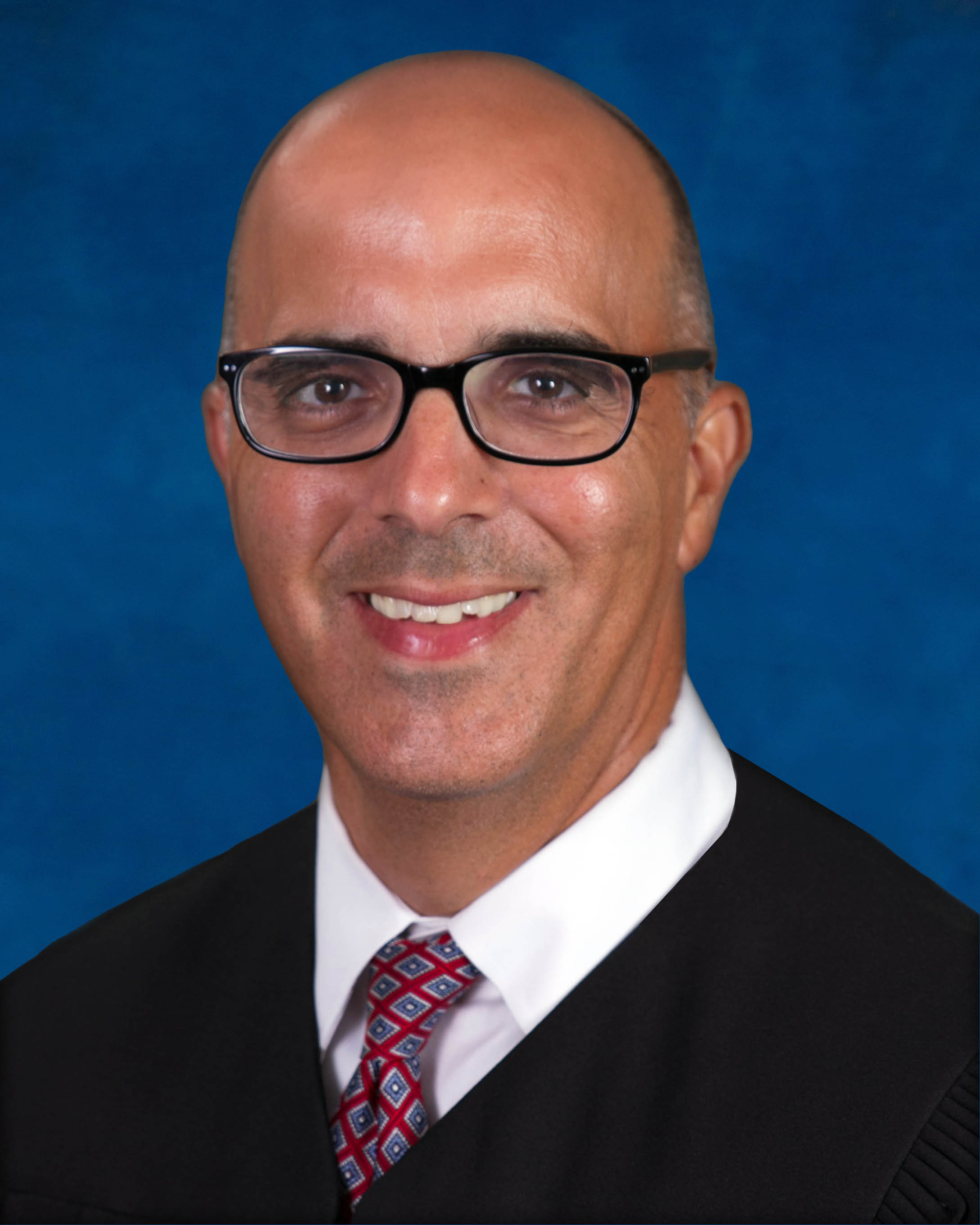
Judge Darren D. Farfante
Individual Rules, Standing Orders & Policies
Limits & Logistics
Document Limits
Courtesy Copies
Motion
Chambers Copy
Court-wideCourtesy copies
Court-wideExtraordinary Writ Petition
Court-wide- Immediately Upon Filing
Adjournments
Court-wideRequest must include
Communication
Chambers
Clerk
Clerk
Clerk
Phone
Court-wideChambers
Document Format Requirements4 rules
Checked against the court's document on Oct 1, 2026Important
Proposed orders should be submitted through the Florida E-Portal in PDF format.
A proposed order should be submitted for the judge’s review via the Florida E-Portal in PDF format.
Checked against the court's document on Oct 1, 2026Important
Competing proposed orders must be uploaded through the Florida E-Portal in PDF with a disagreement cover letter and simultaneously emailed to the court in Word format with the required subject-line information.
If the opposing party does not agree to the form of the proposed order and will submit a competing order, then the competing proposed orders should be uploaded via the Florida E-Portal in PDF format with a cover letter indicating the parties could not agree to the form of the proposed order and the parties shall simultaneous email the competing form of proposed order in word format to divisionl@fljud13.org with a subject line which includes “Competing Order” and the Case Number.
Checked against the court's document on Oct 1, 2026Important
Hard-copy materials for court review must be in three-ring binders and received at least 48 hours before the hearing.
Hearing Materials Please deliver any hard copy materials for the Court’s review in three-ring binders for receipt at least forty-eight (48) hours prior to the hearing.
Checked against the court's document on Oct 1, 2026Important
Hard-copy hearing materials submitted for court review must be in three-ring binders and received at least 48 hours before the hearing.
Hearing Materials: The Court will accept and review hard copies of any hearing materials in three-ring binders received at least forty-eight (48) hours prior to any hearing.
Document Filing Requirements12 rules
Checked against the court's document on Oct 1, 2026Mandatory
A Notice of Hearing must identify the motion and docket numbers, reserved hearing time, in-person or remote format, remote-appearance instructions, and whether a court reporter was ordered.
The Notice of Hearing must include the following: (1) The Motion to be heard and the Docket Number(s); (2) the hearing time reserved; (3) whether the hearing is in person or remote (evidentiary hearings must specifically state so on the notice); (4) instructions for remote appearances; (5) whether a court reporter has been ordered.
Document Type
Notice Of Hearing
Checked against the court's document on Oct 1, 2026Mandatory
Scheduling through JAWS does not replace filing the notice of hearing with the clerk.
Scheduling through JAWS does not substitute for filing a notice of hearing with the clerk.
Document Type
Notice Of Hearing
Checked against the court's document on Oct 1, 2026Mandatory
After receiving the JAWS scheduling email, the moving party must file the notice of hearing with the clerk to provide legally effective notice to all parties.
Upon receipt of the JAWS scheduling e-mail, it is the responsibility of the moving party to file the notice of hearing with the clerk to give legally effective notice to all parties.
Document Type
Notice Of Hearing
Checked against the court's document on Oct 1, 2026Mandatory
The title of an emergency motion must include the word “emergency.”
The word “emergency” must appear in the title.
Document Type
Emergency Motion
Checked against the court's document on Oct 1, 2026Mandatory
A hearing request must state the motion title, filing date, requested hearing duration, trial date when applicable, and a self-represented litigant's phone number when email is unavailable.
The request must contain: a) the title of the motion requiring hearing time; b) the date the motion was filed with the clerk; c) the amount of hearing time requested; d) the date of the trial, if applicable. e) phone number for self-represented litigant (if no access to e-mail)
Document Type
Hearing Schedule Request
Checked against the court's document on Oct 1, 2026Mandatory
Every proposed order must be accompanied by a cover letter stating that it was shown to the other side and describing that side's agreement, five-day nonresponse, or objection and competing order.
Every proposed order should be accompanied by a cover letter that indicates (1) the proposed order has been shown to the other side, (2) the other side has either agreed to the order, failed to respond after five days, or indicated that they object to the proposed order and will submit their own competing order.
Document Type
Proposed Order Cover Letter
Checked against the court's document on Oct 1, 2026Mandatory
A Case Management Report must be uploaded and electronically filed for the Initial Case Management Conference.
Initial Case Management Conferences are heard on the Uniform Motion Calendar. A Case Management Report must be uploaded and e-filed for this hearing, pursuant to Local Rule 3.13 (See Business Court Rules).
Document Type
Case Management Report
Checked against the court's document on Oct 1, 2026Important
A cross-notice request must be emailed to the court and accompanied by a filed cross notice stating the date, time, document number, and “TIME PERMITTING.”
To seek permission to cross-notice a motion, send an e-mail to DivisionL@fljud13.org and file a cross notice of hearing with hearing date, time and document number: Cross notice of hearing: Aug 20 9 30 (123); the body of the notice of hearing should state “TIME PERMITTING”
Document Type
Cross Notice Of Hearing
Checked against the court's document on Oct 1, 2026Important
After agreeing on a hearing time, the parties must complete the fourth scheduling-chart column and resend the chart to the court by email.
When the parties select the most agreeable time, complete the fourth column and re-paste the chart into an e-mail to the court.
Document Type
Hearing Schedule Confirmation Email
Not confirmed. Read the court's wording below.Mandatory?
Court ordered evidentiary hearings may not be canceled absent court order.
Summary: A court-ordered evidentiary hearing may not be canceled without a further court order.
Document Type
Notice Of Hearing
Not confirmed. Read the court's wording below.Mandatory?
Along with detailed correspondence stating the reason for the need to special set the motion
Summary: A special-set request must include correspondence detailing why the motion requires an expedited or special hearing.
Document Type
Special Set Hearing Request Correspondence
Not confirmed. Read the court's wording below.Important?
Contact the court by email at divisionL@fljud13.org (copying all sides). In the subject line, include an abbreviated style using the last name of the first plaintiff and the first defendant and the case number: SMITH/JONES 19-CA-012345. Complete the first three columns of this chart and paste it in the body of the e-mail request:
Summary: A request for a 30-minute-or-longer hearing must be emailed to the court with all sides copied, a case-identifying subject line, and the completed first three columns of the scheduling chart in the email body.
Document Type
Hearing Schedule Request Email
Filing & Service rules
Electronic Filing Rules
The court acts only on a properly filed written document and generally will not act on the document until a hearing is held.
The court only enters rulings on written documents which have been properly filed, either electronically through the Florida Courts E-Filing Portal, or in paper form by filing with the clerk. After a document is properly filed, the court will not take any action on it until a hearing is held.
Checked against the court's document on Oct 1, 2026
Page 1 | Scheduling hearings
Division Z proposed orders must be uploaded through the Statewide Portal's Division Z queue and otherwise follow Division L's proposed-order procedures.
In the Statewide Portal, use the DIVISION Z queue when uploading orders for the court’s signature. Please follow Division L’s Procedures and Preferences for submission of proposed orders.
Checked against the court's document on Oct 1, 2026
Page 1 | Proposed Orders
An emergency motion must be filed with the Circuit Court Clerk.
An emergency motion must be filed with the Clerk’s office.
Not confirmed. Read the court's wording below.
Page 1 | Emergency Motion Procedures
The Initial Case Management Conference requires electronic filing of a Case Management Report.
A Case Management Report must be uploaded and e-filed for this hearing, pursuant to Local Rule 3.13 (See Business Court Rules).
Not confirmed. Read the court's wording below.
Page 1 | SCHEDULING SHORT HEARINGS- 15 Minutes or Less
Notice of an asbestos hearing cancellation may be given by emailing the notice and uploading it to the statewide portal.
Notice to the Court may be accomplished by e-mailing a copy of the notice of cancellation and uploading to the statewide portal.
Not confirmed. Read the court's wording below.
Page 1 | Notices of Cancellation
A party unable to electronically file should submit all original documents to the Circuit Court Clerk.
Parties unable to e-file should file all original documents with the Clerk of Circuit Court:
Not confirmed. Read the court's wording below.
Page 1 | Scheduling hearings
Filing Timing and Cure Windows
A motion whose copies are not timely received by the Coordinator may not be heard at the asbestos motion-calendar hearing.
Motions for which copies are not timely received by the Coordinator are subject to not being heard by the Court at the asbestos motion calendar hearing.
Checked against the court's document on Oct 1, 2026
Page 1 | Asbestos Motion Calendar Agenda
A cancelled asbestos motion-calendar hearing must be promptly reported by filing a notice of cancellation with the Clerk and delivering it to the Coordinator.
When a hearing on a motion on the asbestos motion calendar is cancelled, a notice of cancellation must be promptly filed with the Clerk’s Office and delivered to the Coordinator.
Checked against the court's document on Oct 1, 2026
Page 1 | Notices of Cancellation
The asbestos motion and notice of hearing must reach the Coordinator by 5:00 p.m. on the Thursday one week before the motion-calendar hearing to be placed on the agenda and heard.
In order for a motion to be placed on the Agenda and heard by the Court, the motion and a notice of hearing must be received by the Coordinator by 5:00 p.m. on the Thursday one week prior to the asbestos motion calendar hearing date.
Checked against the court's document on Oct 1, 2026
Page 1 | Asbestos Motion Calendar Agenda
For court review, hard-copy hearing materials in three-ring binders must be received at least 48 hours before the hearing.
Hearing Materials: The Court will accept and review hard copies of any hearing materials in three-ring binders received at least forty-eight (48) hours prior to any hearing.
Checked against the court's document on Oct 1, 2026
Page 1 | SCHEDULING 30 MINUTE OR LONGER HEARINGS
Hard-copy materials for court review must be received at least 48 hours before the hearing.
Hearing Materials Please deliver any hard copy materials for the Court’s review in three-ring binders for receipt at least forty-eight (48) hours prior to the hearing.
Checked against the court's document on Oct 1, 2026
Page 1 | Hearing Materials
A motion for new trial, rehearing, reconsideration, or clarification must be emailed to the court with an e-filing-date-stamped copy and reviewed by the court before scheduling.
Motions for new trial, rehearing, reconsideration or clarification require the court’s review before scheduling. E-mail divisionL@fljud13.org Attaching a copy of the motion bearing the clerk’s e-filing date.
Not confirmed. Read the court's wording below.
Page 1 | Additional Procedures
Parties must wait for the JAWS scheduling email confirming the hearing time before electronically filing the initial motion and notice.
Upon receipt of the JAWS scheduling e-mail (within 24 hours), e-file the initial motion(s) and notice as sampled below. IMPORTANT: Please wait to receive the JAWS scheduling email before e-filing, to ensure your hearing time is confirmed by the court.
Not confirmed. Read the court's wording below.
Page 1 | SCHEDULING 30 MINUTE OR LONGER HEARINGS
Copies of the notice of hearing and scheduled motions must be emailed to the court at least three days before the hearing.
Please email a copy of your notice of hearing and the motion(s) scheduled at least three (3) days prior to your hearing.
Not confirmed. Read the court's wording below.
Page 1 | SCHEDULING 30 MINUTE OR LONGER HEARINGS
Service and Proof of Service Rules
When a pro se party has no case-associated email address, the attorney must mail the order to that party.
If a party is pro se and does not have an email address associated with the case, the attorney will be responsible for mailing copies of the order to pro se parties.
Checked against the court's document on Oct 1, 2026
Page 1 | SCHEDULING 30 MINUTE OR LONGER HEARINGS
Copies of every asbestos motion and notice of hearing must be delivered to the Asbestos Motion Calendar Coordinator by email, U.S. mail, fax, or hand delivery.
Copies of all motions and notices of hearing must be delivered via e-mail, U.S. mail, fax, or hand delivery to the Asbestos Motion Calendar Coordinator (Coordinator) whose contact information is:
Checked and corrected to match the court's document on Oct 1, 2026
Page 1 | Asbestos Motion Calendar
Each attorney or party entitled to service must register the individual case email address in JAWS; notice through the Portal alone is insufficient.
Filing a notice of an email address through the Portal does not input the email address into the JAWS for purposes of receiving electronically signed orders and judgments, JAWS notifications or email correspondence from the court. Parties must register email addresses on JAWS for each individual case and for each individual attorney or party entitled to service.”
Checked and corrected to match the court's document on Oct 1, 2026
Page 1 | SCHEDULING 30 MINUTE OR LONGER HEARINGS
Courtesy Copy Requirements
A special-set request requires filing the motion with the clerk and sending the court one courtesy copy plus detailed correspondence stating the need for a special hearing by mail or hand delivery.
To request a special set hearing, the motion subject to the special set request must be filed with the clerk’s office and a courtesy copy, along with detailed correspondence stating the reason for the need to special set the motion, must be mailed or hand delivered to the Court.
Checked and corrected to match the court's document on Oct 1, 2026
Page 1 | Special Set Hearings
No additional copies of an emergency motion may be sent to chambers.
Do not send additional copies to chambers.
Not confirmed. Read the court's wording below.
Page 1 | Emergency Motion Procedures
Pre-Motion Conference Requirements
If requested, counsel must agree to the filing of an amended complaint instead of filing the motion.
If requested, counsel shall stipulate to the filing of an amended complaint in lieu of filing the motion.
Checked and corrected to match the court's document on Oct 1, 2026
Page 1 | Business Court Procedures
Before filing a motion, the moving party must confer with opposing counsel in a good-faith effort to resolve it and file a certification that the conference occurred without agreement.
Before filing any motion, the moving party shall confer in person, telephonically, or by e-mail with counsel for the opposing party in a good faith effort to resolve the issues raised by the motion and shall file with the motion a statement certifying that the moving party has conferred with opposing counsel and that counsel have been unable to agree on the resolution of the motion.
Not confirmed. Read the court's wording below.
Page 1 | Business Court Procedures
Before a Rule 12 motion challenging the complaint, counsel must give written notice of the intended motion and identify the alleged failure to state a cause of action.
Prior to filing a motion to dismiss for failure to state a cause of action, counsel shall notify opposing counsel in writing the intention to file a motion to dismiss and shall identify the reason(s) counsel will allege that the complaint fails to state a cause of action.
Not confirmed. Read the court's wording below.
Page 1 | Business Court Procedures
Opposing counsel must respond promptly to a good-faith pre-filing conference request.
Counsel shall respond promptly to efforts by opposing counsel who wish to confer to resolve motions prior their filing.
Not confirmed. Read the court's wording below.
Page 1 | Business Court Procedures
No pre-motion conference is required for an ex parte injunction motion, a summary-judgment motion, or a motion seeking class-action maintenance.
No conference is required prior to the filing of a motion for injunctive relief without notice, for summary judgment, or to permit maintenance of a class action.
Not confirmed. Read the court's wording below.
Page 1 | Business Court Procedures
Chambers Communication Rules
A party who believes an order was overlooked or misplaced should email the Judicial Assistant.
If it is thought that the order may have been overlooked or misplaced, please e-mail the Judicial Assistant.
Checked against the court's document on Oct 1, 2026
Page 1 | SCHEDULING 30 MINUTE OR LONGER HEARINGS
After filing a motion, a hearing request must be emailed to the division with all associated parties copied, or submitted in paper form to Division L if email is unavailable.
To schedule a hearing after the motion is filed, e-mail a request for hearing to DivisionL@fljud13.org copying all associated parties to the case. If you do not have access to e-mail you may submit the request in paper form to Division L, Complex Business Division, 505 Edgecomb Courthouse, 800 East Twiggs Street, Tampa, FL 33602 (phone: 813-272-5330).
Checked against the court's document on Oct 1, 2026
Page 1 | Scheduling hearings
A party that no longer needs its hearing time should email notice of cancellation to the Judicial Assistant.
If you no longer need your hearing time, please send a notice of cancellation to the Court’s Judicial Assistant by email to divisionl@fljud13.org .
Checked against the court's document on Oct 1, 2026
Page 1 | SCHEDULING 30 MINUTE OR LONGER HEARINGS
Chambers email should be sent to the division address with all parties copied and used only for scheduling or court preference and procedure questions, not case details or legal advice.
Communication to Chambers should be directed to the division’s e-mail address: DivisionL@fljud13.org. The Court’s Judicial Assistant is available for questions regarding scheduling and the Court’s preferences and procedure and cannot hear any details of the case or provide legal advice. You must copy all parties when emailing the Court’s Judicial Assistant at divisionl@fljud13.org.
Checked and corrected to match the court's document on Oct 1, 2026
Page 1 | SCHEDULING 30 MINUTE OR LONGER HEARINGS
Cross-noticing is allowed only if all counsel agree and the Judicial Assistant confirms by email that the docket can accommodate additional matters.
There will be no cross-noticing unless the all counsel agree and contact the judicial assistant by e-mail and receive confirmation that the docket will accommodate hearing additional matters at the same time.
Checked and corrected to match the court's document on Oct 1, 2026
Page 1 | Additional Procedures
A copy of a filed emergency motion must be emailed to the Judicial Assistant at the division address.
If you file an emergency motion, please email a copy of the emergency motion to the Court’s Judicial Assistant at divisionl@fljud13.org and comply with Administrative Order S-2024-046, Paragraph 19.
Not confirmed. Read the court's wording below.
Page 1 | SCHEDULING 30 MINUTE OR LONGER HEARINGS
Parties must contact the Judicial Assistant by email to obtain available civil trial weeks.
Please contact the Judicial Assistant by e-mail for available trial weeks at divisionl@fljud13.org
Not confirmed. Read the court's wording below.
Page 1 | Forms
Parties should email the Judicial Assistant at the division address if they do not receive the exhibit numbering and marking instructions.
Once your evidentiary hearing is scheduled, the Judicial Assistant will email instructions for the numbering and marking of exhibits. If you do not receive an email, please contact the Judicial Assistant at divisionl@fljud13.org.
Not confirmed. Read the court's wording below.
Page 1 | SCHEDULING 30 MINUTE OR LONGER HEARINGS
Requests for unavailable 30-minute-or-longer hearing slots must be emailed to the court with all sides copied.
Contact the court by email at divisionL@fljud13.org (copying all sides).
Not confirmed. Read the court's wording below.
Page 1 | SCHEDULING 30 MINUTE OR LONGER HEARINGS